Offline.Private.Itemised.

Your Mac says it's full. ddeploy lists why, line by line, and clears the safe stuff with one click. Nothing leaves your Mac.

Scroll · a real scan, 183.0 GB safe to remove
A real scan

Your Mac says it's full. It's lying.

Most of it is caches, snapshots and old backups macOS won't name. This is the developer's own Mac in September 2026: 494 GB, 11 GB free, and 183 GB of it safe to remove.

Macintosh HD494 GB · 11 GB free
Old iOS simulator runtimes55.7 GBDELETE
Project build folders54.0 GBDELETE
Caches untouched for months38.2 GBDELETE
Time Machine local snapshots31.0 GBDELETE
WhatsApp media18.2 GBREVIEW
Old iPhone backup14.2 GBREVIEW
Photos, already in iCloud13.0 GBKEEP
Logs4.1 GBDELETE
Safe to remove183.0 GB
Clean the 5 safe items

Scanned in 48 s. Real numbers from the developer's own Mac, September 2026. Yours will differ.

01

Scan

Every folder measured, including the ones Finder hides. "System Data" gets a name and a size instead of a shrug.

02

Read

Plain-English labels, not paths. Anything you might still want is marked REVIEW and waits until you look at it.

03

Clean

One click. Your first clean is free. After that, cleaning is Pro: $9.99, once. No account, no subscription.

What it looks like.

One button.

Safe items are already ticked. Anything marked review first waits until you look at it. The number at the top is what you get back.
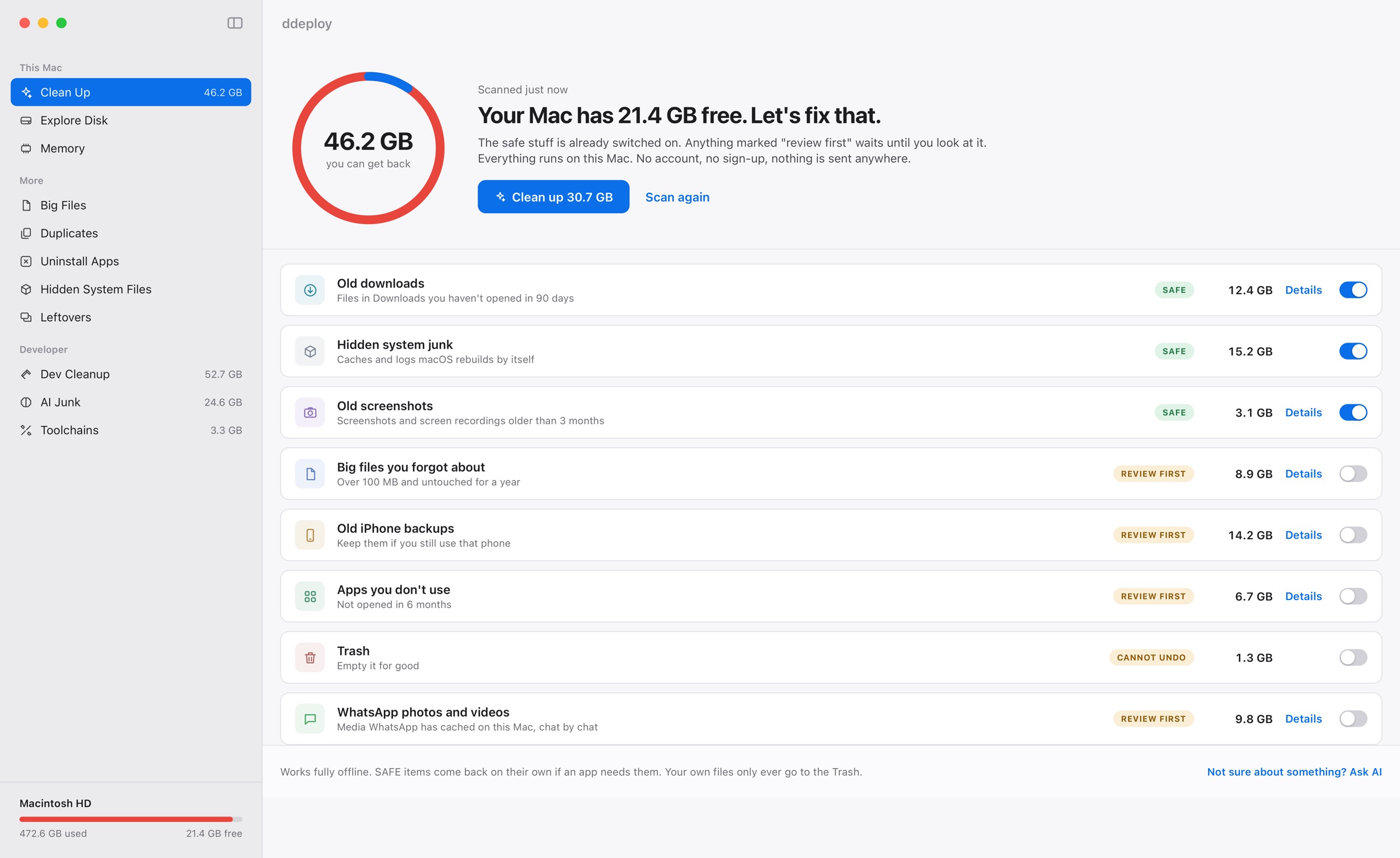
ddeploy's home screen: a ring showing space you can get back, one Clean up button, and a plain-English list of old downloads, hidden system junk, screenshots, big files, iPhone backups and unused apps
Fig. 01 · Home. Safe items pre-ticked, review-first items wait.

"System Data", opened.

Library, local snapshots, swap, purgeable space, caches. Each one named and measured, cleared where it's safe.
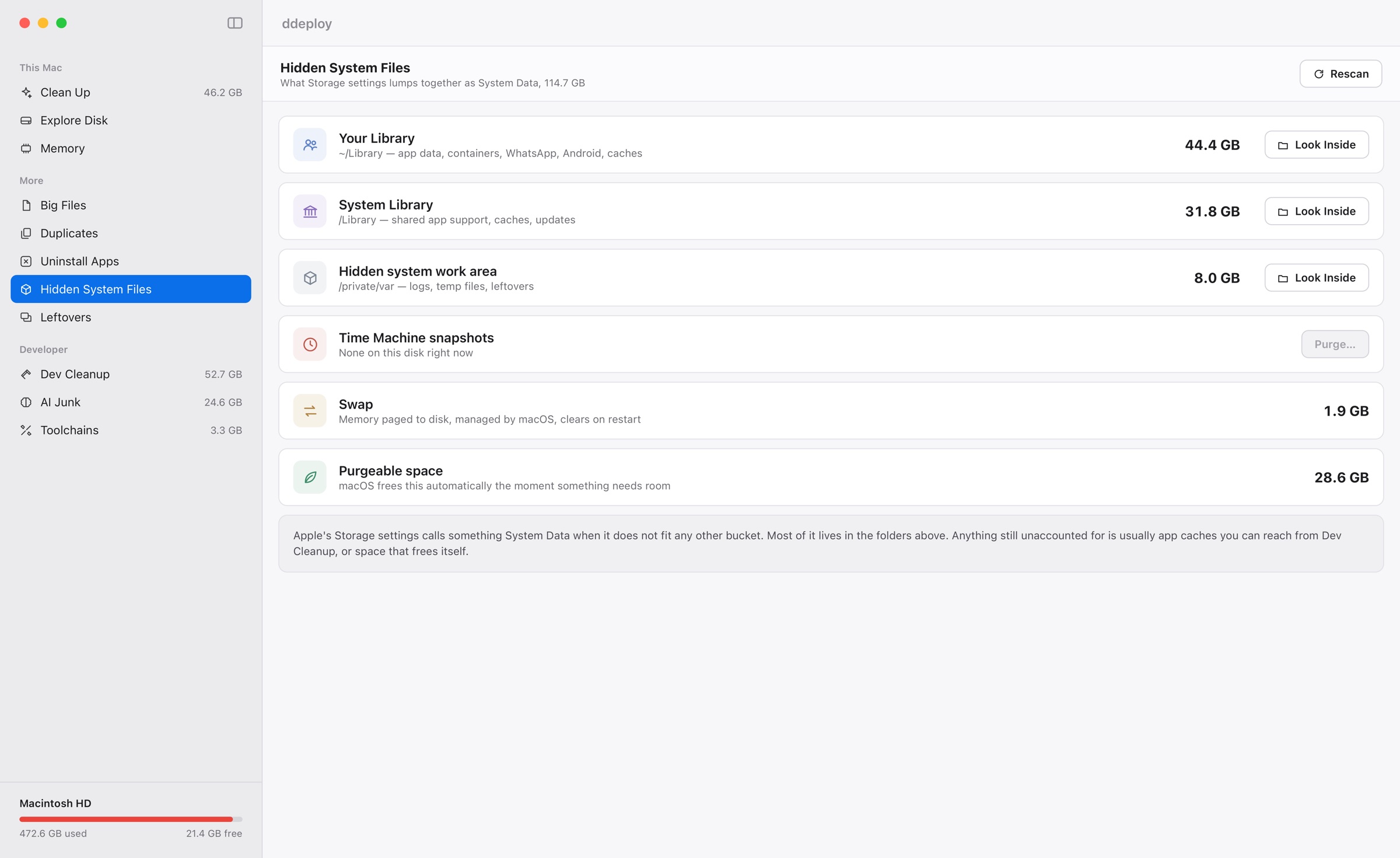
ddeploy's Hidden System Files screen breaking down Library folders, snapshots, swap and purgeable space
Fig. 02 · Hidden system files, itemised.

Look inside anything.

A map of any folder, big blocks are big things. Or the same as a sorted list. Search inside, click to go deeper, trash it from right there. It's the Trash, so you can change your mind.
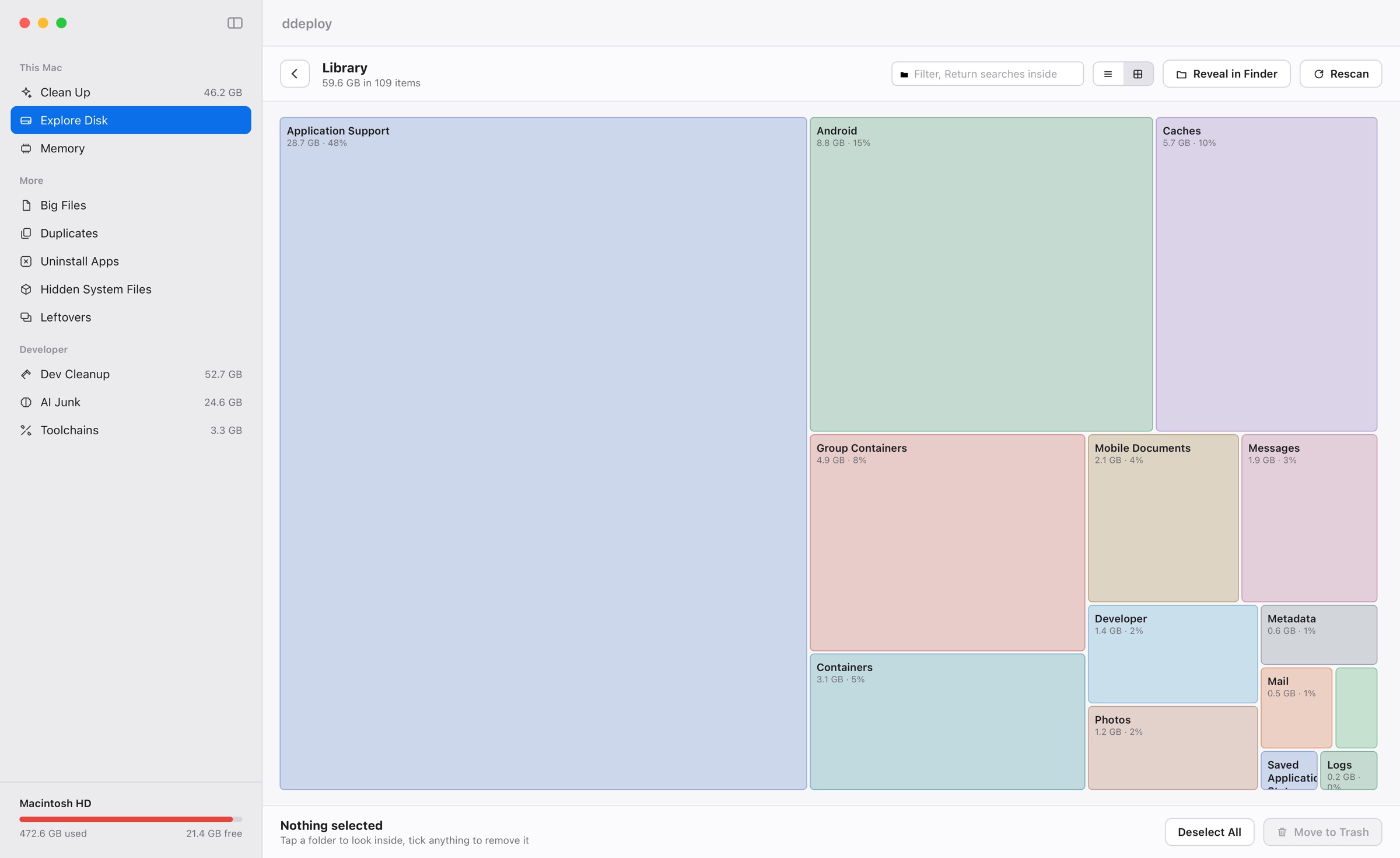
ddeploy's Explore Disk treemap of the Library folder: Application Support, Android, Caches and Group Containers as blocks sized by how much space they take
Fig. 03 · Explorer. Any folder, children sized and sorted.

Everything stays on your Mac.

No account. No sign-up. No data collected. Turn wifi off and it works exactly the same.

Also in the box.

01

Uninstall apps

The app and everything it hid in your Library. Untick what to keep.

02

Duplicates

Identical files, byte for byte. Keeps the original, trashes the copies.

03

Apps you don't use

Opened months ago, never since. Yours to keep or remove.

04

Leftovers

Bits left behind by apps you already deleted.

05

Big files

Everything over 100 MB, with how long since you touched it.

06

Memory

Quit the apps hogging RAM. Politely, so unsaved work still asks.

07

Look inside

A treemap or a sorted list of any folder, with search. See where it all went.

08

Native

A real Mac app. Opens instantly.

Write code or run AI models? ddeploy notices Xcode, Docker and Ollama on its own and adds a Developer section. See what it cleans →

$9.99. Once.

Free
$0
forever
  • See everything, every size
  • Look inside + System Data
  • Ask AI about any item
  • Your first clean, free
Download
Pro
$9.99
one time, yours for life. No subscription, no account.
  • Everything in Free
  • Unlimited cleaning
  • Developer tools
  • 1 Mac per key
Buy Pro, $9.99

Secure checkout by Dodo Payments. Your key arrives by email and activates inside the app. 14-day refund, no questions.

Free to look. First clean free.
Ten bucks to clean forever.

No subscription, no account. I hate those too.

Get ddeploy

Questions, answered.

Is it really free?

Looking is free forever, and so is your first full clean. No card, no sign-up, no account.

Does it send my files anywhere?

No. Nothing leaves your Mac, not even file names. There's no account and no tracking. It works with wifi off.

Is it safe?

Safer than deleting things by hand at 1am. Known caches only, the Trash for everything else, and it asks first.

Why is "System Data" so huge?

Mine was 206 GB. Here's where it lives.

All questions →

What people say.

No reviews yet. Be the first.

Write a review

Reviews are public GitHub issues on the ddeploy-site repo, so they need a GitHub login and can't be edited by us. Stars, text and your GitHub name are shown here as posted. See all · Questions go on the board